
Fadé Adeniyi
Monday 2 November 2026
The four AI systems to build first: a second brain, an assistant, a coordinator and a content system. What each one does, how to set it up and the exact prompt to copy.
Because a tool only helps when you open it and explain yourself again. A system already knows your work and does a job without being asked. Four systems do most of the work: a second brain, an assistant, a coordinator and a content system. Build one first, then add the rest.
I co-founded Techlerator, the company behind Xeruit, an AI talent intelligence platform. I run a team of AI agents in my own business and every one of them is a system built around my real work, not a tool I have to remember to open.
Anthropic's engineers make the same point in Building effective agents: start with the simplest setup that works and only add complexity when you need it. Their name for the coordinator pattern is routing, where one model sorts a request and passes it to a specialist.
The trap is signing up for every new AI tool you see. Ten tools you open once a week won't beat one system that runs every day. Start with the second brain, because the other three read from it.
The 4 systems
What it is. Six files that tell AI who you are and how you work: About me, My offers, Brand voice, Clients, SOPs and Meeting notes plus your daily context. Claude, ChatGPT, Gemini and Perplexity can all work from files like these. In Claude, Projects are free with up to five on the Free plan.
Interview me so we can write the six files for my second brain: About me, My offers, Brand voice, Clients, SOPs and Meeting notes. Ask one question at a time and no more than five per file. When a file is done, give it back to me as a document I can save, then move to the next one. Use only what I tell you. Don't fill gaps with guesses.
You're my second brain. Before you answer, check the files in this project: About me, My offers, Brand voice, Clients, SOPs and Meeting notes. Use what's in them and don't ask me for anything they already tell you. If my question isn't covered, say so and tell me which file to add it to. Never invent a fact about me, my business or my clients. Write in the tone set out in Brand voice.
Test it: ask "Who are my best clients and what do I sell them?" without explaining anything. If it answers from your files, it's working.
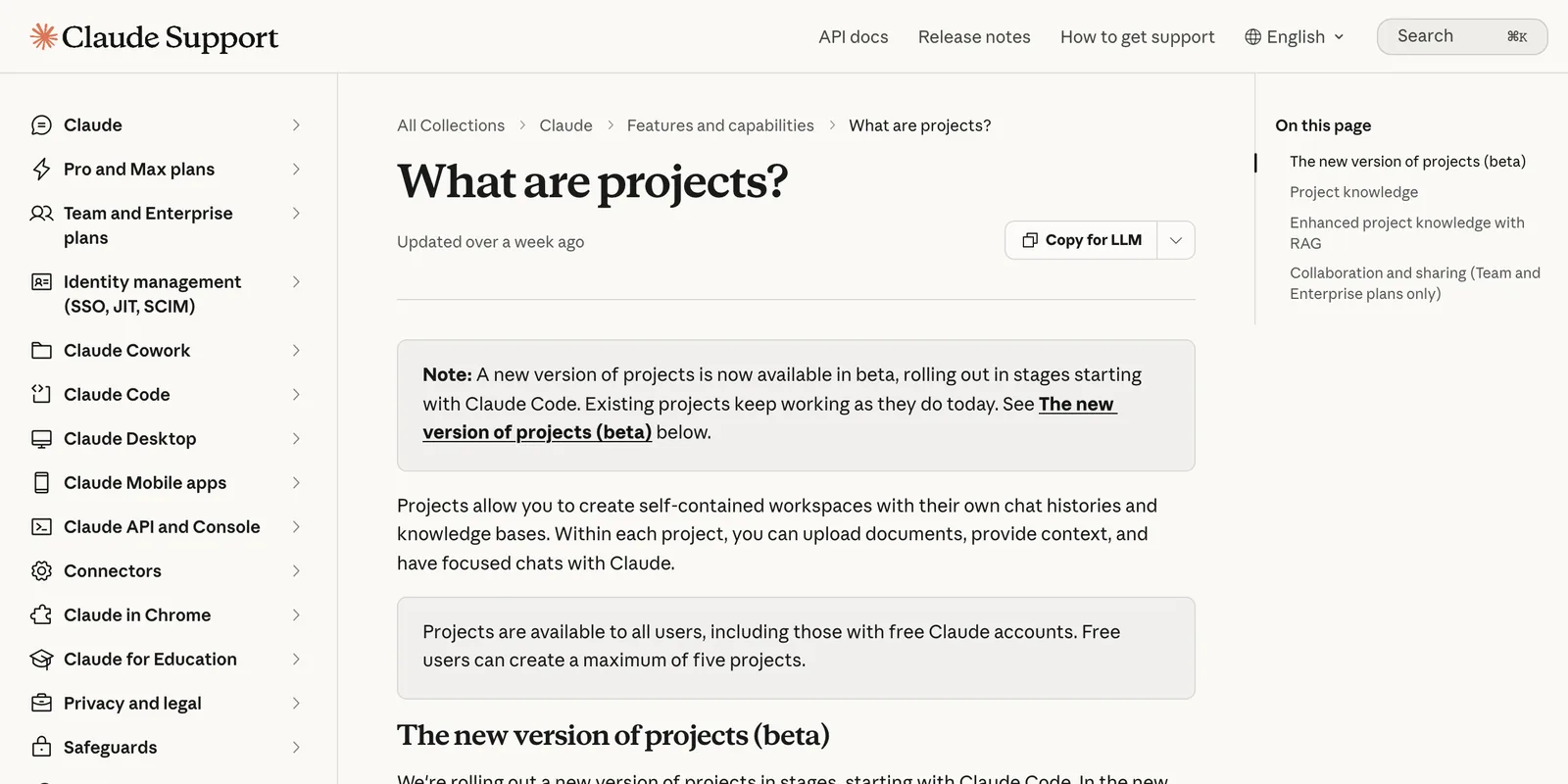
Use the same six files. ChatGPT Projects take files and instructions, including on Free. Gemini Gems take knowledge files (Google says Gems on personal accounts move to skills from November 2026). Perplexity Projects take files and instructions too.
What it is. One scheduled task that does the five jobs you repeat every morning: the morning brief, sorting the inbox, drafting replies, prepping tomorrow and chasing follow-ups. It drafts and you decide.
Every weekday at 7am, using my Gmail and Google Calendar:
1. MORNING BRIEF: today's meetings with times, who's in each one and what I need to prepare.
2. SORT THE INBOX: emails from the last 24 hours under Needs me, Can wait and Ignore. Skip newsletters and receipts.
3. DRAFT REPLIES: a draft reply to every Needs me email, saved as a Gmail draft, in this voice: [PASTE YOUR BRAND VOICE FILE].
4. PREP TOMORROW: tomorrow's meetings and anything I should read first.
5. CHASE FOLLOW-UPS: emails I sent more than [3] days ago with no reply, each with a short, polite nudge drafted. Never send, delete or archive anything. I review every draft.
The never-send line is the important one. Gmail's connector can send, so the prompt keeps the final say with you.
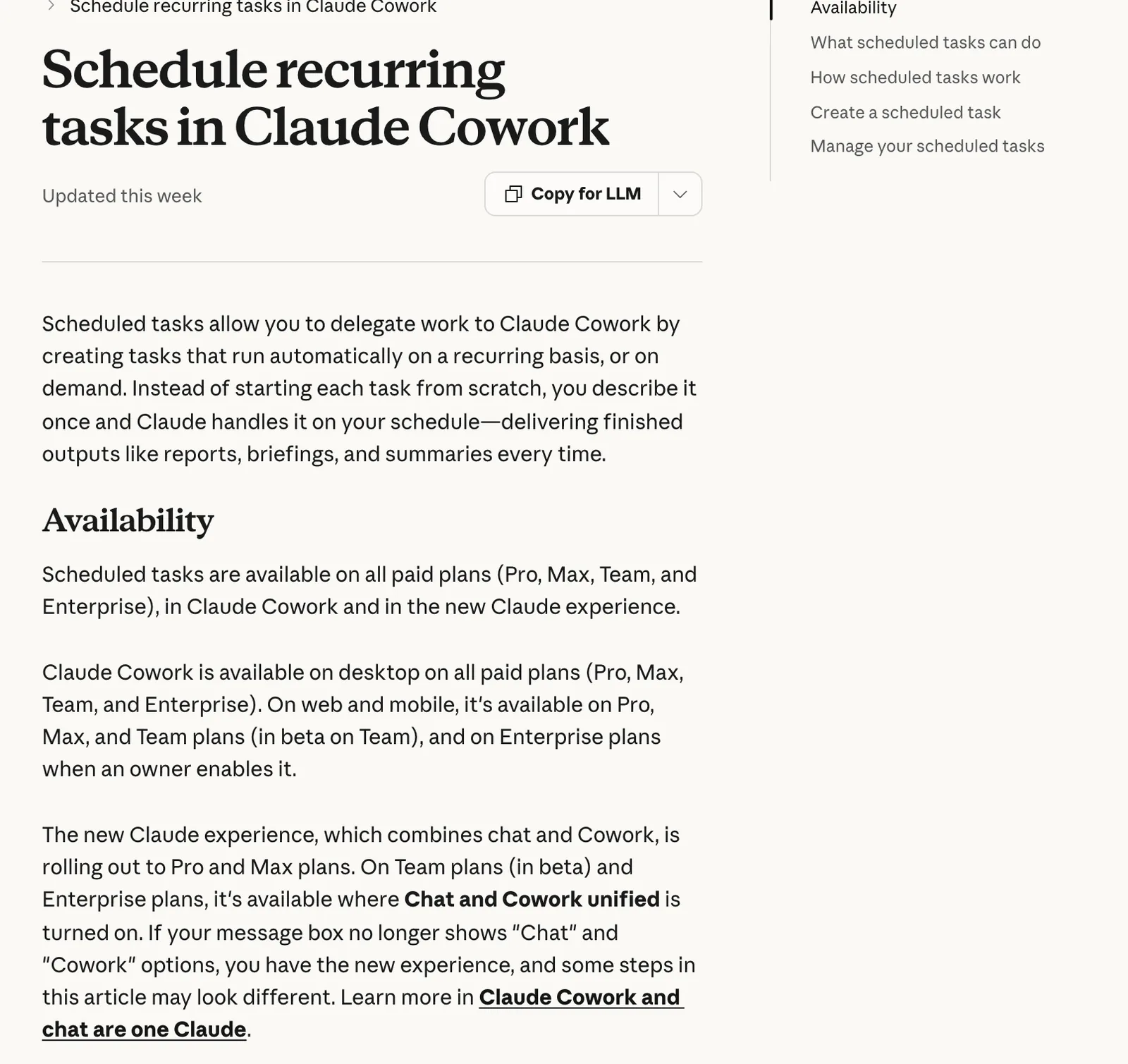
On the Free plan? Save the prompt, drop the first line and paste it into a chat with your connectors on each morning. It's the same five jobs. You just press go yourself.
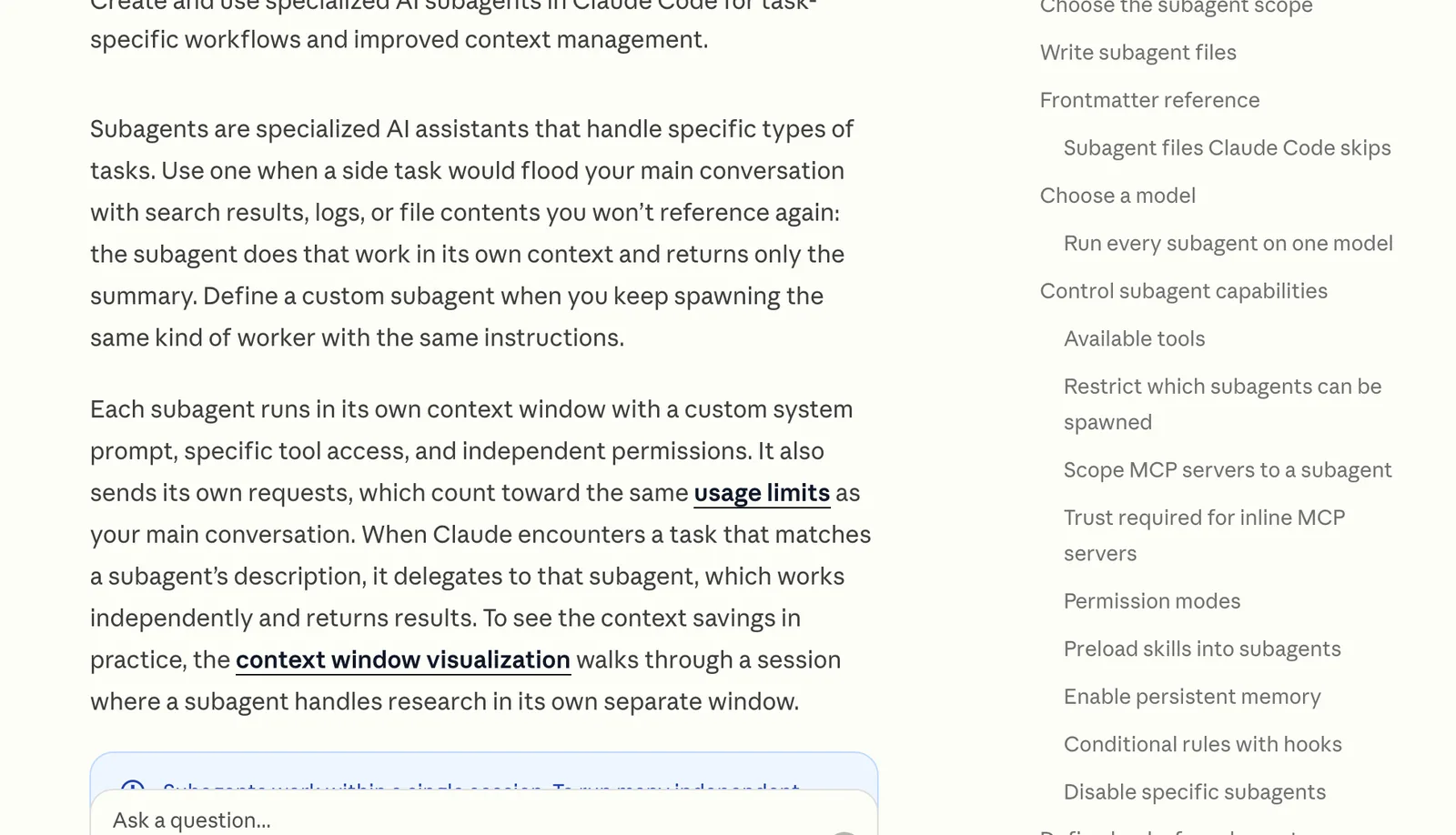
3. The coordinator. Once you've got more than one assistant, you don't want to remember which one does what. In Claude Code, each assistant is a subagent: a small file with a name, a description and its own tools. Claude reads the descriptions and hands each request to the right one. Claude Code is the Code tab in the desktop app on Pro and up, with no terminal needed (quickstart).
Set this folder up so you can be my coordinator. Create one subagent file in .claude/agents/ for each of my assistants: inbox, research, content, calendar, outreach and finance. Give each one a name, a description that says exactly when to use it and only the tools it needs. What each one does for me: [ONE LINE PER ASSISTANT]. Then write a CLAUDE.md that says: when I ask for something, pick the right assistant, hand it the task and give me one combined answer. Any assistant that could send, post, pay or delete must show me first and wait for my yes.
4. The content system. Research, then drafts, then you review and post. Run it inside your second-brain project so it writes in your voice. Turn on Web search from the + menu (web search help) or schedule it weekly in Cowork like the assistant.
Every [MONDAY] morning:
1. RESEARCH: search the web for the [5] biggest stories this week about [YOUR TOPIC] that matter to [WHO YOU POST FOR]. Give me each one with its link and date.
2. DRAFTS: pick the best [3] and draft a [PLATFORM] post for each, under [150] words, opening with the hook, in the voice in my Brand voice file.
3. FOR REVIEW: put the source under every draft and flag any claim you couldn't check. Don't post anything. I review, edit and post myself.
Never post a draft you haven't checked. Open every source link before a claim goes out under your name.
Start with the second brain this week, because the assistant, the coordinator and the content system all read from it. When it answers about your business without you explaining anything, add the assistant. Add the coordinator once you've got more than one assistant to manage.
How I use it. I run a team of AI agents in my own business. My executive assistant writes my morning brief, triages my inboxes and messages me on Slack when an email needs a reply. A market-intelligence agent sends me AI news and competitor signals every morning. An outreach agent drafts trigger-based email sequences that only send when I switch sending on. A creative director agent finds trends and helps write my scripts and a meeting agent drafts what I'm asked for in a call into a private folder. Every one of them reads the same files about me and my business before it starts. That's my second brain.
What this won't do: AI gets things wrong, so check every draft, date and number before it reaches a client. Scheduled tasks and Claude Code need a paid Claude plan. Menu names change, so if a step doesn't match, look in the tool's settings. The 99% in the title is a figure of speech, not a statistic.
Stop collecting AI tools. Start building the systems that use them.
Related guides: Build a second brain with Claude Projects, Building your own AI daily brief and How to spin up Claude subagents.
Sources, opened 2 November 2026: Claude Help Center, Projects, Scheduled tasks in Cowork, Google Workspace connectors and Web search; Claude Code Docs, Subagents and Desktop quickstart; Anthropic, Building effective agents (December 2024); OpenAI Help Center, Projects in ChatGPT; Google, Use Gems; Perplexity, What are Projects?
The Audacity to Build is my community for people doing exactly that. It is opening soon. Join the waitlist and you are first in when it does.
If this was useful, follow me. I share what I am actually building, the tools that survive my own testing, and the ones I quietly cancel. New plays every week.
Pop in your name and email and the guide is yours, along with the occasional new guide when I publish one. No spam, ever.