
Fadé Adeniyi
Wednesday 4 November 2026
Three free tools that give your AI video edits real sound: the link for each one and the exact prompt that points Claude at it.
Because Claude can't hear. It can cut your video perfectly and still drop the same whoosh on every move, a few frames late. Three free tools fix that: Openverse for music and real-world sound, SFX Kit for effects that land on the frame and earshot for sounds Claude makes and checks by listening.
I've automated 90% of my startup with AI agents and Claude edits my reels too. Sound was the part that kept giving the edit away, so these are the three tools I'd hand anyone building edits with Claude.
The trap is typing "add sound effects" and hoping. With nothing to work from, Claude guesses: one stock sound on every cut, placed by eye. Give it a library with data and a way to check its work and the sound lands where the picture moves.
The 3 tools
What it is. Openverse is a free search engine for openly licensed media. Its audio count on 4 November 2026 was 5,223,435 files: about 3.99 million from Wikimedia Commons, 645,000 from Jamendo and 592,000 from Freesound. It's music and effects, so Claude can search for both. The API works without a key.
Find sound for my video with the Openverse API. No key is needed. Search https://api.openverse.org/v1/audio/ with q=[WHAT YOU NEED, E.G. SOFT RAIN] and license_type=commercial. Show me the top 5 with the title, creator, licence, length in seconds and the foreign_landing_url, so I can listen first. Skip any file whose licence includes nd. When I pick one, download its url into audio/ and copy its attribution field, word for word, into CREDITS.md. Never use a file without writing its credit.
The credit line is the important one. Openverse hands Claude a ready-made attribution for every file, so there's no excuse to skip it.

Every file carries its own licence. CC0 needs nothing. BY and BY-SA need the credit line. The commercial filter leaves out NC files. ND files can't be changed. Trimming and mixing can count as a change, so the prompt skips them. This isn't legal advice.
What it is. SFX Kit by Wyzowl is 320 sound effects in 28 categories, from whooshes and pops to typing, count-ups and logo stings. It's CC0, so it's free for any use, commercial or not, with no credit needed. Every sound is tagged with use_for, avoid_for and sync data, so Claude finds a sound by what happens on screen and starts it at that moment minus its sync.at.
Use SFX Kit for the sound effects in this video. It's in sfx-kit/. Read sfx-kit/GUIDE.md first, then load sfx-kit/sounds.json.
1. MOMENTS: list every on-screen moment in my edit with its time: things appearing, moving, landing, typing, counting up, the logo.
2. PICK: for each moment choose a sound whose use_for fits and whose avoid_for doesn't. Check fits_seconds against the length of the move.
3. PLACE: start each sound at the moment minus its sync.at. Never guess the offset.
4. MIX: where a sound overlaps my voice, lower it by its under_voiceover_db. Nothing whose avoid_for says "On top of speech" goes under my voice.
5. CHECK: show me a table of moment, time, sound id and start time before you render.
One rule does the timing. Start = the moment minus sync.at. The kit's sync point already sits on the part of each sound that should meet the picture.
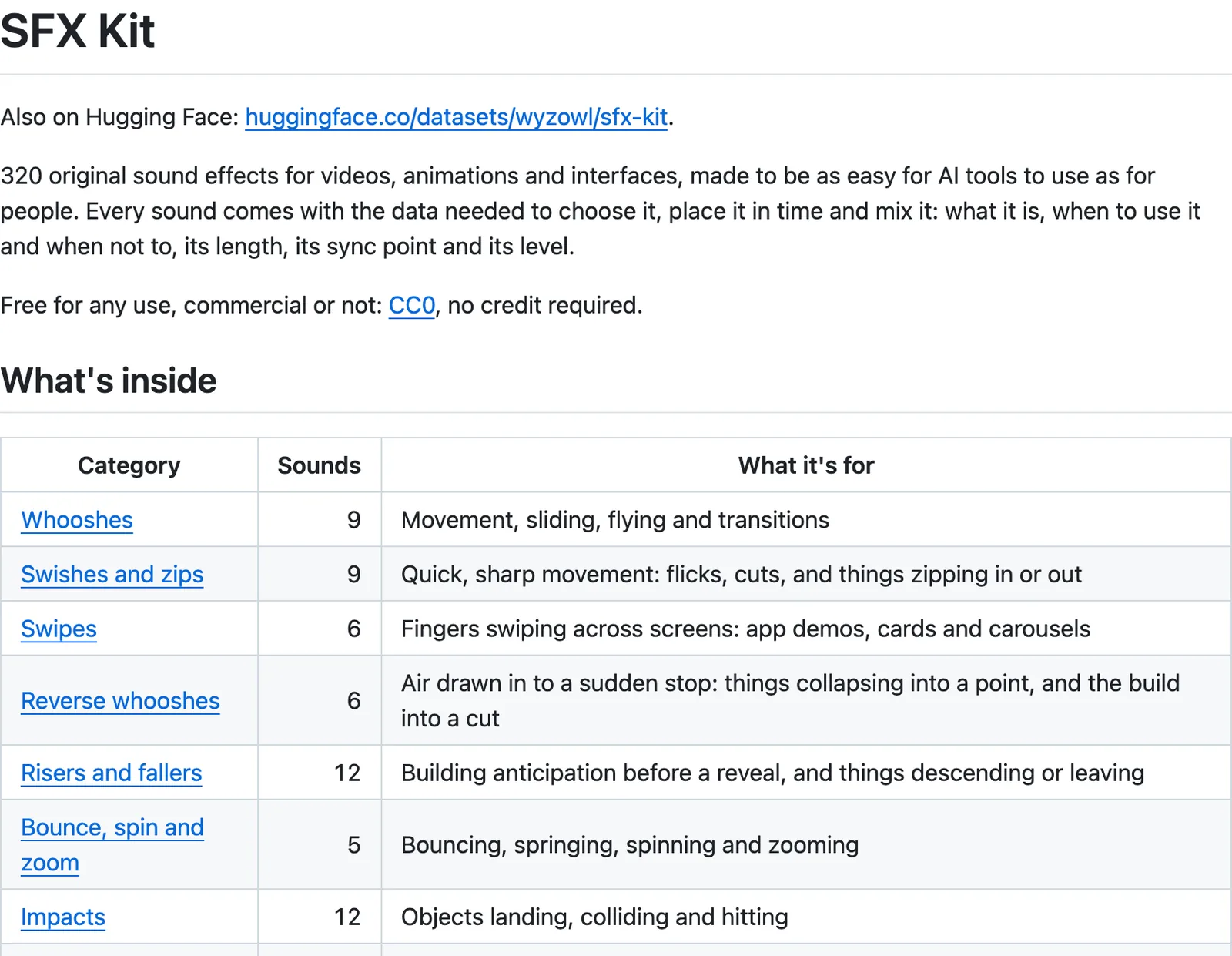
Why it works. The moment that matters isn't always the start of the file. For hits, pops and whooshes it's the loudest point, for typing and swipes it's the very start and for a riser it's the end, where the reveal lands. The kit's GUIDE.md stores that point for every sound, which is exactly what Claude can't hear for itself.
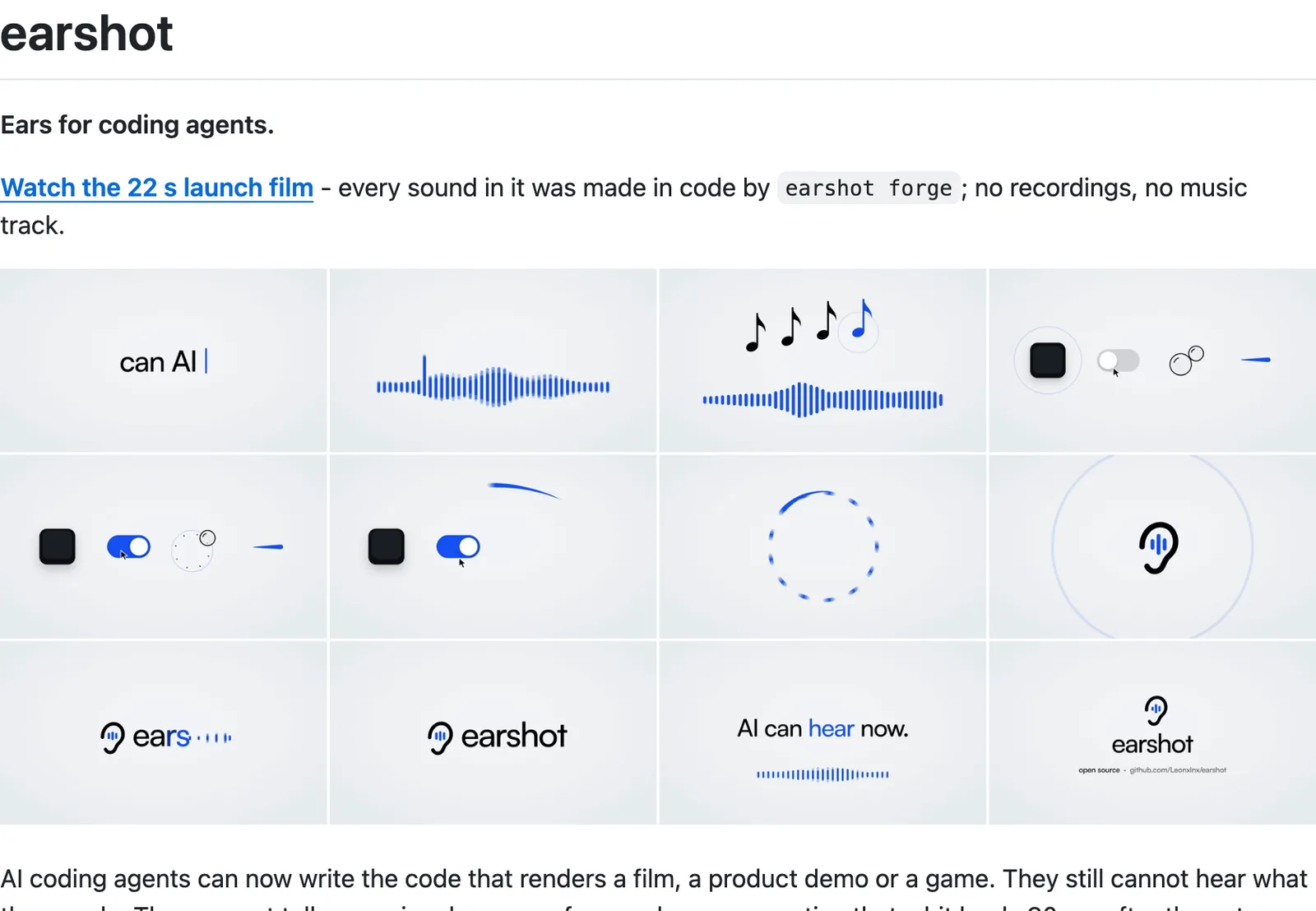
What it is. earshot calls itself "ears for coding agents". It's open source under MIT and runs on your computer's CPU, as a command line tool and an MCP server for Claude Code. Three commands matter for video:
Use earshot to sound this video, then listen to what you made.
1. INSTALL: if earshot isn't installed, follow the Install section at https://github.com/Leonxlnx/earshot and add it as an MCP server. Ask me before the 1.1 GB model download.
2. KIT: run earshot kit init --preset [launch IF IT'S CUT TO MUSIC, ELSE calm] -o audio/kit.json, then earshot kit render audio/kit.json --out audio/kit. Place every take with the sync points in its lock file.
3. GAPS: if the kit has nothing for a moment, make a sound with earshot forge and use the best pick from its report.md.
4. LISTEN BACK: render the video, run earshot critique on it and fix what it says to fix first. Then run it again.
5. REPORT: tell me what you changed and what earshot says it can't judge.
Pick the preset to match the edit. The README says launch is for films cut to music. Calm, crisp and minimal are the others.
Start with SFX Kit, because it's the quickest win: one download, one prompt and your next reel has a sound on every move. Add Openverse when you need music or a real-world sound and earshot when you want Claude to check its own mix.
How I use it. Claude edits my reels. I've got a Remotion skill for each of my edit styles and one rule runs through all of them: every element that lands on screen gets its own sound. A card dropping in gets a whoosh, a number counting up gets a tick and a logo gets a pop. I used to pick sounds by ear and nudge them frame by frame until they lined up. Now I ask Claude for the list of moments first, check it, then let it place the sounds from the data. I still listen to every render with headphones on before anything goes out.
What this won't do: none of these tools has taste. earshot's own README says it can't judge taste, emotion or licences, so you still listen to every render. Claude Code needs a paid Claude plan. Openverse licences change file by file, so read each one before you post.
Your edit isn't finished until the sound lands with the picture.
Sources, opened 4 November 2026: Openverse API, audio stats and API docs; Wyzowl, SFX Kit and its GUIDE.md; earshot README; Claude Code Docs, Desktop quickstart
The Audacity to Build is my community for people doing exactly that. It is opening soon. Join the waitlist and you are first in when it does.
If this was useful, follow me. I share what I am actually building, the tools that survive my own testing, and the ones I quietly cancel. New plays every week.
Pop in your name and email and the guide is yours, along with the occasional new guide when I publish one. No spam, ever.